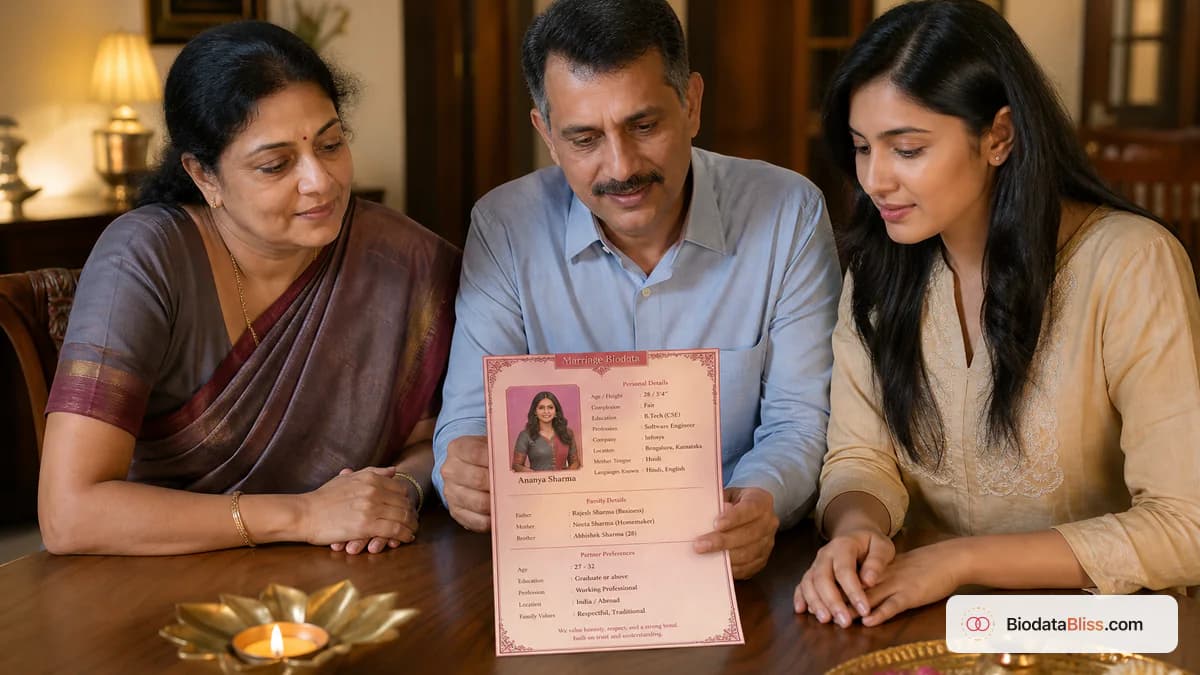
A family-approved marriage biodata is not a novel. It is a calm first hello: the facts relatives need to decide whether a conversation is worth starting — and nothing that belongs in a later private call.
If you are wondering what to include in a marriage biodata, you are usually trying to please two audiences at once: parents who want every traditional line, and you who do not want a public dossier. The family-approved answer is a complete checklist, not a longer story. Lead with name, age or date of birth, height, city, education, work, parents, a recent photo, and a number that gets answered. Add horoscope, income range, or partner preferences only when your circle expects them on page one. This guide is the checklist we wish every cousin group used before the first forward — plus a free PDF path on BiodataBliss.
Definition
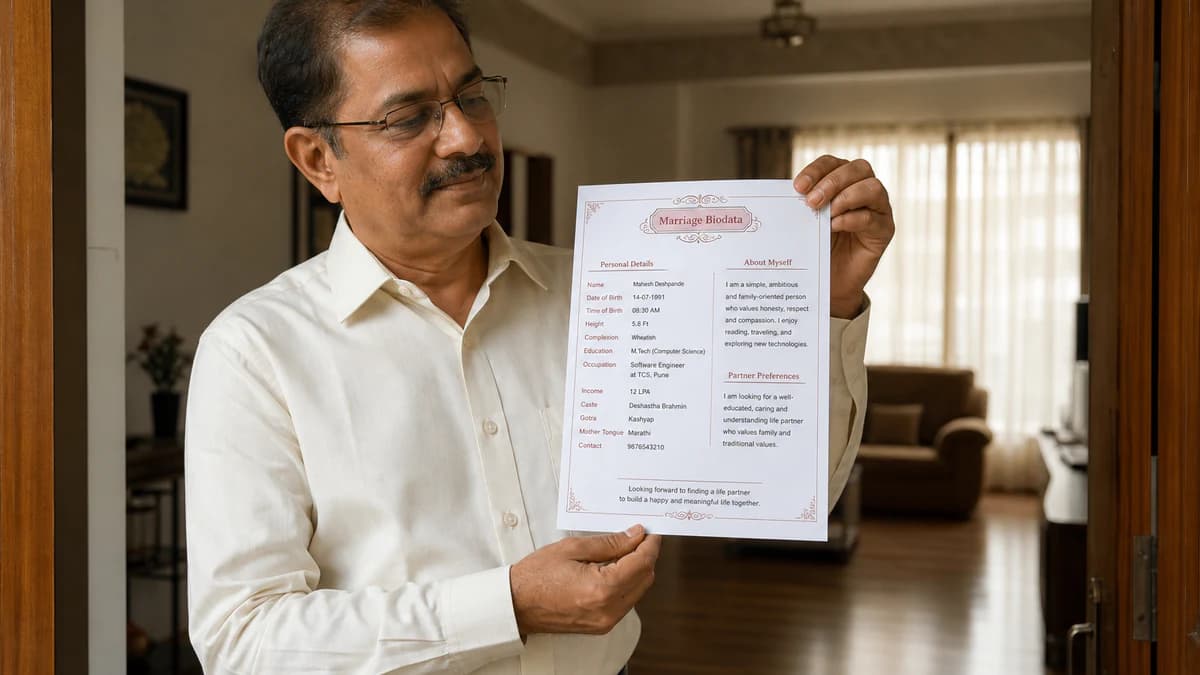
A marriage biodata is a one-page family introduction used in Indian arranged-marriage discussions. It summarises who you are — personal basics, education, work, family, photo, and contact — so relatives can skim the facts on WhatsApp or print. It is not a job CV. Community fields such as gotra, rashi, or maslak appear only when your elders already exchange them.
The problem: half-empty PDFs and three cousin drafts
Most marriage biodata stress starts the same evening. Someone opens Word, pastes a job resume, and leaves family lines blank “to fill later.” A cousin adds a heavy border. Another cousin writes a harsh partner-preference paragraph. By 10 p.m. the WhatsApp group has three files, none of which an elder can skim on a phone.
Families are not hiring you. They are deciding whether a respectful first call is worth everyone’s time. Arranged-marriage introductions in India still often begin with a short family document — Wikipedia’s overview of arranged marriage in the Indian subcontinent is useful background — but the first reader is usually a parent scrolling in a cab, not a recruiter.
- Blank education or family lines look like hiding, not humility
- Resume language (“synergies,” “stakeholder management”) does not belong here
- Three conflicting drafts in one group kill trust faster than one honest short PDF
- A blurry screenshot of a two-page file loses the room before page two
The solution: one family-approved checklist, one master PDF
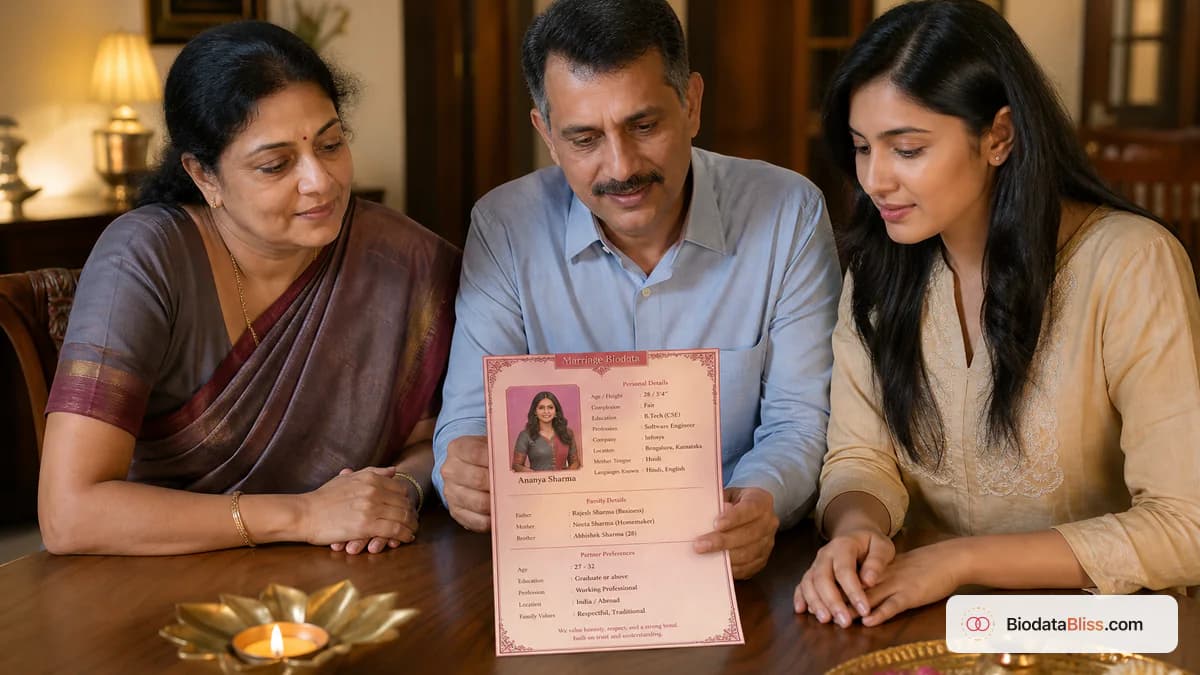
The fix is boring in the best way. Agree on one checklist. Fill it once. Preview on a real phone. Download one PDF. Delete older drafts from the chat. That is the whole “family-approved” trick — not a fancier border.
Use this order on the page: personal basics, education, career or studies, family, optional community or horoscope lines, a short lifestyle note if it sounds like you, polite partner preferences if your family uses them, photo, contact. Keep it to one page for WhatsApp. Print the same file later if elders want paper.
- One master file your family agrees on
- Must-have fields first; optional fields only when your circle asks
- Send as a WhatsApp Document so text stays sharp (Adobe’s PDF overview explains why layout holds across phones)
- Update the same file when job or city changes — do not spawn version four
If a detail is sensitive and not needed for first screening, keep it for a direct family conversation later.
Personal details families read in the first 20 seconds
Start with information that introduces you clearly. Families usually look for full name, date of birth or age, height, marital status, mother tongue, and current city before they read hobbies.
Write your name the way it appears on invitations and older family biodatas — not a trendy nickname on page one. Date of birth should be the full date when your community uses kundali matching; age alone is enough in some urban circles. Ask your parents which they already share.
- Full name (same style as official / invitation records)
- Date of birth or age — be consistent across matrimony sites and the PDF
- Height in feet and inches (or cm if that is how your family writes it) — no rounding up
- Marital status: never leave this blank
- Mother tongue and languages you actually speak
- Current city and native place if they differ
- Religion / community / caste only if your family usually includes it
- Complexion: include only if your specific community still expects it; many families now skip it
Education and career without resume padding
After basics, most parents jump to education and profession. They want your current life stage: employed, self-employed, studying, preparing for exams, or between roles. A clean line such as “B.Tech, NIT Trichy — Software Engineer, Bengaluru” creates more confidence than “working in private sector.”
Income is a common follow-up. Many families expect a range on page one (for example ₹12–15 LPA). Others wait for a call. Do not paste payslips onto a forwarded PDF. Our guide on how much salary to mention in a marriage biodata covers the privacy balance. Government employees can lead with designation and department instead of a flashy CTC.
- Highest qualification first, then college or university
- Current role, organisation or business type, work city
- If studying: program name and expected completion
- Income as a range only if your family normally shares it at biodata stage
- Visa or abroad context only when it is actually relevant
- No inflated titles, internships from 2014, or unverified claims
Family background without a wealth pitch
In most Indian marriage biodata documents, family context is not optional. Parents want names, occupations, and a quick view of siblings. They are not asking for a property brochure.
One line per parent is enough. Sibling lines can be short: “Elder sister, married, teacher in Pune.” Native place helps when families compare background. Joint vs nuclear is useful when it is true — do not invent “joint family” to sound traditional.
- Father and mother: names plus occupation or status (working, retired, homemaker)
- Siblings: count plus a one-line summary each
- Current family city and native place if useful
- Optional values line (close-knit, vegetarian, tradition-oriented) if it sounds natural
- Property or business notes only if your elders prefer them on page one
- Keep the tone dignified and neutral — no wealth flex, no apology tour
Religion, community, and horoscope — only when expected
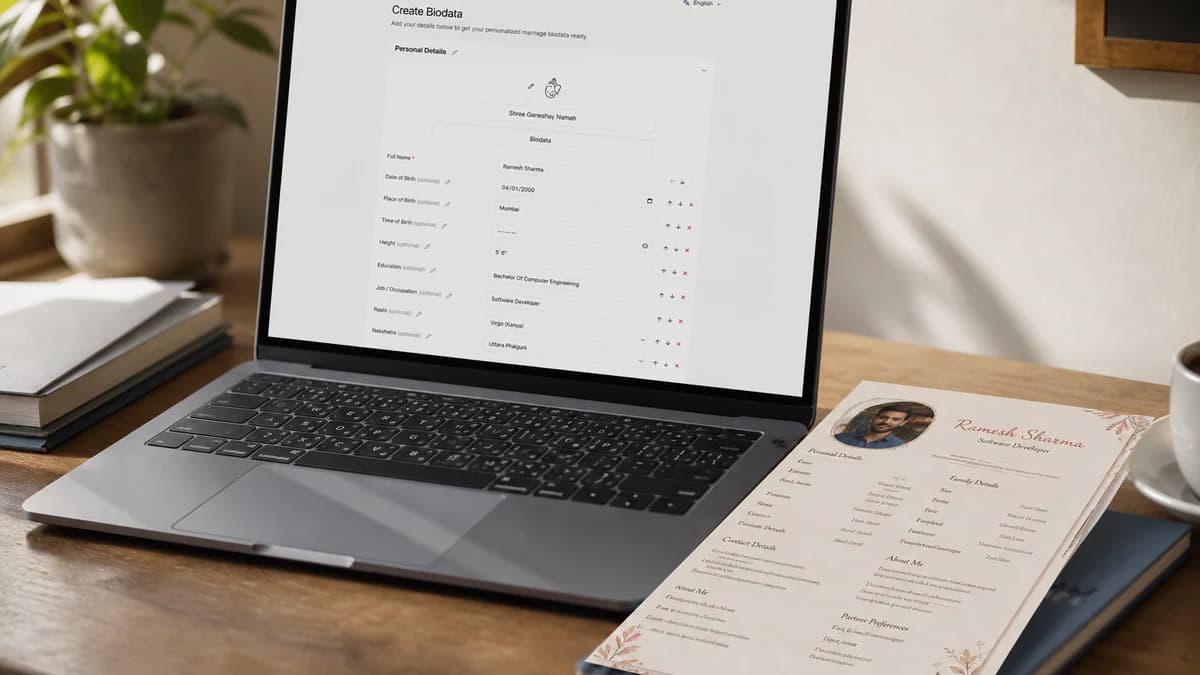
This is where copied templates go wrong. A Hindu family in many circles expects gotra, rashi, nakshatra, birth time and place, and mangal status. A Tamil family may lead with natchathiram. A Muslim family may want sect or maslak — not gotra. Jain, Sikh, Christian, and other communities have their own first-page habits.
Follow your elders, not a random PDF from the internet. Empty optional fields beat invented ones. See our Hindu marriage biodata format guide if those fields apply, or the Muslim marriage biodata format guide if they do not.
- Hindu / many North Indian circles: gotra, rashi, nakshatra, birth time and place, mangal if asked
- Tamil / South Indian circles: star and related fields your family already uses
- Muslim circles: sect or maslak only if elders already share them — skip Hindu horoscope blocks
- Spell names the way parents already write them on older biodatas
- Never guess a gotra or maslak to look “complete”
Photo, contact, and partner preferences that stay practical
A biodata starts a conversation, so contact details must work. One wrong digit and genuine families move on. For parent-led searches, a parent or guardian number that is answered in the daytime often belongs on first forwards. Your personal number can wait.
Photo and preferences should support clarity, not create friction. Use a recent solo portrait with a plain background. Group shots, heavy filters, and old college photos invite questions you do not want on day one. Our marriage biodata photo rules guide covers crop, dress, and background. Partner preferences — if you include them — should sound human. See how to write partner preferences in a marriage biodata for wording that does not cringe when read aloud.
- Primary phone verified before you share; country code if NRI families will call
- Optional email for relatives who prefer a slower channel
- Contact person line: self, father, mother, or guardian
- Recent photo, face visible, outfit you would actually wear to a first meeting
- Preference basics: age range, education, city, profession — polite and short
- Relocation or abroad openness only if it is true
What you should not put on a forwarded PDF
Many biodatas fail because they include too little or too much. Missing basics create doubt. Aadhaar numbers, full residential addresses, and medical essays on a widely forwarded file create privacy risk. UIDAI’s Aadhaar guidance is clear that identity numbers are not casual share-ware — keep them off the PDF.
As a rule: if a detail is sensitive and not needed for first-level screening, save it for a trusted conversation.
- No Aadhaar, PAN, passport, or bank details
- Skip full house address on versions that will be forwarded widely
- Do not copy another person’s wording or photo
- Avoid harsh or insulting preference language (complexion shopping lists, caste slurs)
- Do not exaggerate salary, role, or assets
- Keep medical history and family disputes off the first page
Must include vs optional vs later (comparison)
Use this table as a family-approval pass. If two elders disagree, the “must include” column usually wins for a first WhatsApp share. Optional lines can live in BiodataBliss extra fields so page one stays clean.
| Topic | Must include on page 1 | Optional or later |
|---|---|---|
| Personal | Name, DOB or age, height, city, marital status | Complexion, blood group, long personality essay |
| Education & work | Highest degree, current role or studies, work city | Semester lists, old internships, exact CTC / payslips |
| Family | Parents’ names and occupations, siblings in brief | Property portfolio, every cousin’s job |
| Community | What your elders already exchange (gotra, maslak, etc.) | Fields copied from another community’s template |
| Photo | One recent solo portrait | Collages, group photos, filtered selfies |
| Contact | A number that gets answered | Every social handle you have ever used |
| Preferences | Short polite filters if your family uses them | A demand list that sounds like a job spec |
When in doubt, include the must-have row and leave optional fields empty rather than inventing them.
Common mistakes (and fast fixes)
These show up in forwarded files every wedding season. Fix them once, then retire older drafts. For a longer list, see common mistakes in marriage biodata.
- Pasting a job CV — rewrite in plain family language
- Wrong phone number or outdated parent occupation — verify aloud with family
- Nickname on the PDF that does not match the matrimony profile — pick one spelling
- Harsh partner-preference wording — soften to polite specifics
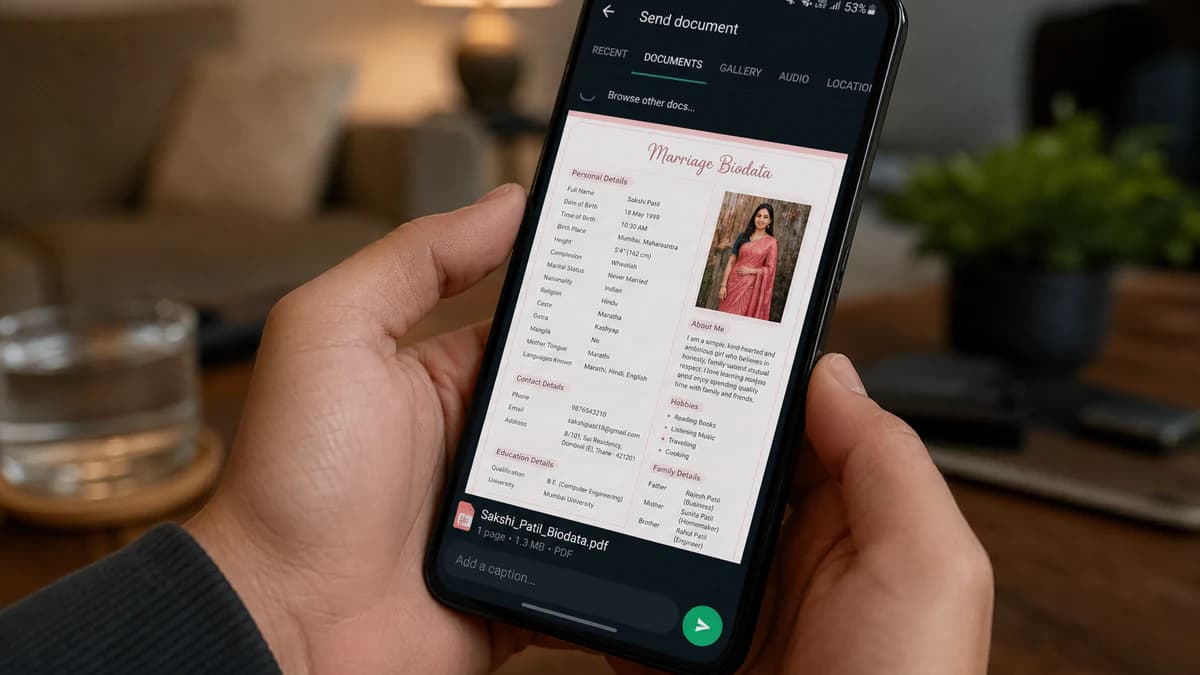
- Sending a compressed screenshot — use WhatsApp Document
- Two-page decorative Word art — one scannable page wins on mobile
Tips that actually get a callback
Read the PDF aloud with a parent. Awkward lines become obvious. Then open it on a phone, not only on a laptop. Most first reads happen on WhatsApp.
Keep one spelling of your name across PDF, chat, and any matrimony site. Mixed “Rajesh / Rajeshh / R. Sharma” makes elders nervous for no good reason.
- One page for WhatsApp; print the same file for home meetings
- Bold section labels elders can find without pinch-zoom
- Photo crop: face visible in the chat preview thumbnail
- If you are an NRI, say current city and visit plans in one line — see our NRI marriage biodata guide
- Update the master file when you change jobs; do not leave 2022 in the footer
Benefits of a complete, honest one-pager
When the page is complete and calm, introductions move faster. Elders find contact without calling back. You spend less time re-explaining basics that should have been on page one.
A free, print-ready PDF on BiodataBliss also means one template the family can agree on — a clean WhatsApp look such as Soft Sky or Rose Clean, or a ceremonial print such as Classic Ivory or Royal Maroon if someone wants paper for a home meeting.
- Faster first impression in family groups
- One master PDF you can update without a cousin redesign
- Mobile-friendly layout elders can actually read
- Clear photo and contact build trust early
- Free preview before anyone forwards your name
Step-by-step: create yours free on BiodataBliss
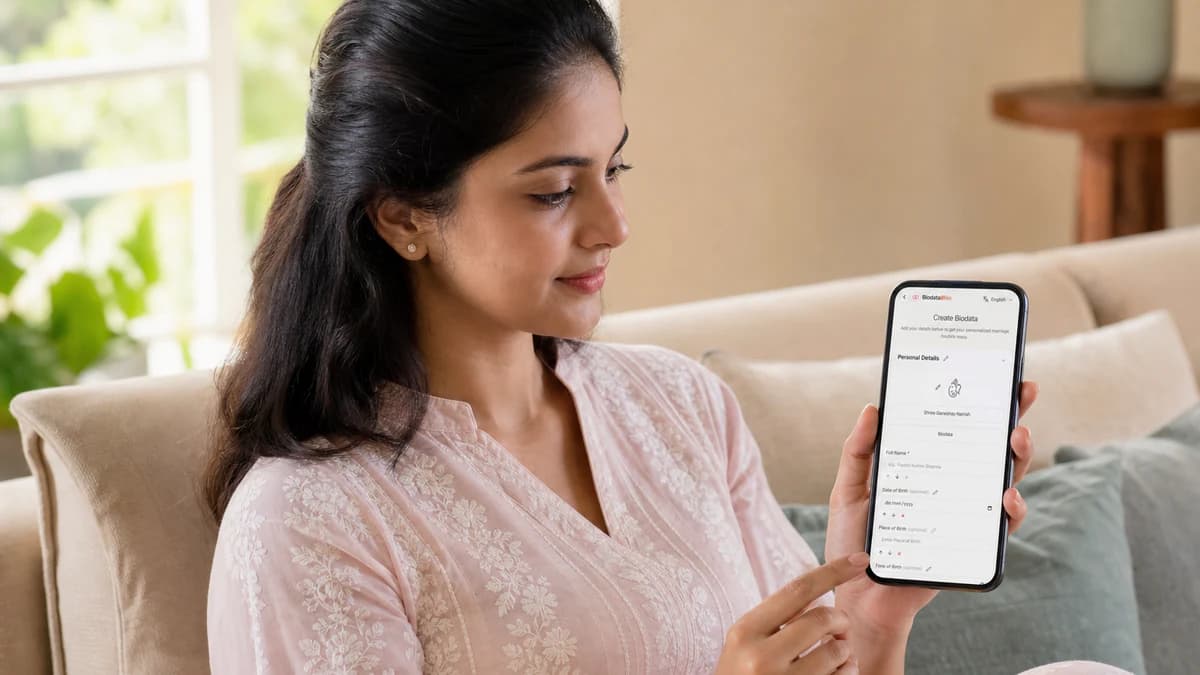
No design skills required. Fill once, preview on mobile, download one PDF your family can share. For a slower walkthrough with screenshots, see how to create biodata for marriage in minutes on BiodataBliss.
- 1. Visit biodatabliss.com and open Create Biodata
- 2. Fill Basics: name, DOB or age, height, city, education, work
- 3. Add Family and Contact; choose whose number goes on first forwards
- 4. Upload a recent photo and check the crop on a phone preview
- 5. Add horoscope, community, or partner-preference lines only if your elders want them on page one
- 6. Pick a template, preview, and download the free PDF — send it as a WhatsApp Document
Before you hit send
What to include in a marriage biodata is simpler than the family group chat makes it look: verified essentials, optional community lines only when they are real, a recent photo, and a number that rings. Skip the autobiography and the identity numbers. When the checklist feels family-approved, create your free PDF on BiodataBliss and share that single version.
Start on Create Biodata, then pick a look on Templates before you download.
FAQs
What to include in a marriage biodata?
Personal basics (name, DOB or age, height, city, marital status), education, career or studies, parents and siblings, a recent solo photo, and a working contact number. Add community or horoscope fields only if your family already exchanges them.
What is a family-approved marriage biodata checklist?
A short agreed list of must-have fields both generations will stand behind on a first WhatsApp share — complete enough to avoid follow-up confusion, short enough to stay on one page.
Should I include salary in a marriage biodata?
Only if your family normally shares it at the biodata stage. A range is safer than a payslip. See our salary guide for the privacy balance.
Is complexion required?
Only in communities that still ask for it. Many urban families skip it. Do not invent a flattering label.
Do I need gotra, rashi, or kundali details?
If your Hindu or related circle matches on those lines, yes — birth time and place should be accurate. If your community does not use them, leave them off rather than copying a Hindu template.
Whose phone number should go on the PDF?
For parent-led searches, a parent or guardian number answered in the daytime. Candidate numbers can come later once both families are comfortable.
How many photos should a marriage biodata have?
One clear recent solo portrait is enough for most first shares. A second full-length photo is optional for print meetings. Skip collages.
Should partner preferences be on page one?
If your family uses them as a filter, keep four to six polite lines. If they cause arguments at home, leave them for the first call.
Can I share Aadhaar or my full home address?
No on a widely forwarded PDF. Identity numbers and exact house addresses belong in a trusted later conversation, not in a group chat file.
How long should a marriage biodata be?
One page for WhatsApp. Print the same one-pager for elders. Two pages usually means you are pasting a resume.
Can I create a marriage biodata free online?
Yes. Fill the checklist, preview templates, and download a free PDF on BiodataBliss.
Create your free marriage biodata in minutes — guided checklist, mobile preview, instant PDF.
Create Biodatahttps://biodatabliss.com/create-biodata (opens in a new tab)