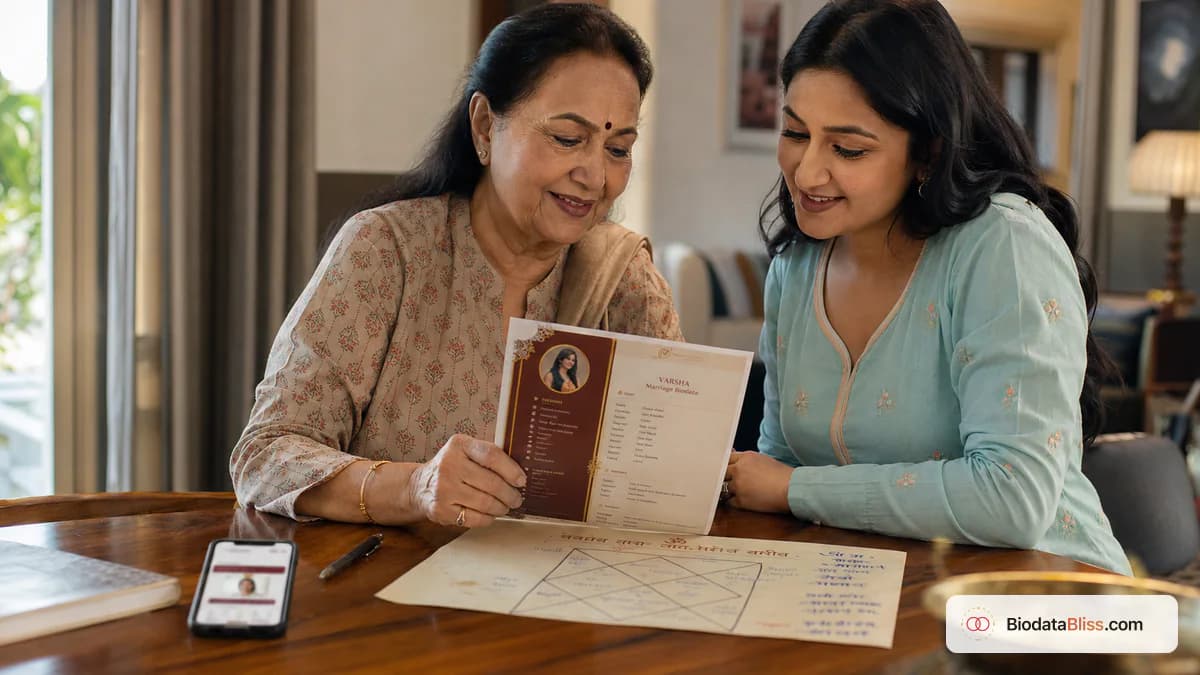
If horoscope matters in your family, accuracy matters more than decoration. One verified line for rashi or nakshatra builds trust; one guessed line can break it.
In many family marriage biodata sharing, horoscope details are still important and often requested early. In other families, they are discussed only after initial compatibility. Both approaches are valid. The real mistake is confusion: adding half-correct values, copying from old profiles, or mixing horoscope fields with unrelated biodata sections. This guide explains exactly when to include kundali details, which fields are commonly used, how to verify rashi and nakshatra correctly, and how to present everything in a clean, readable way on your marriage biodata.
When horoscope belongs in a marriage biodata
Include horoscope lines only if your family, community, or family process usually expects them in first-stage sharing. If your elders typically exchange kundali after an initial call, you can keep this section minimal or leave it out.
The key is consistency with your family's actual practice, not what random templates online suggest.
- Include if chart matching is part of first screening
- Include if relatives ask for rashi/nakshatra upfront
- Skip if your family shares kundali only after interest is confirmed
- Skip if you are not comfortable sharing birth time in wide-forward PDFs
- Ask elders directly instead of guessing community norms
Core horoscope fields and factual meanings
Most biodatas that include astrology use a compact set of fields. Keep each line short, accurate, and verifiable from your source chart.
Different regions use different labels, so use the terms your family already recognizes.
- Rashi: moon sign (example categories like Mesha, Vrishabha, etc.)
- Nakshatra: birth star, spelled exactly as per chart
- Gotra/Gothram: lineage field where tradition uses it
- Birth time and place: include only if confidently verified
- Mangal dosh / manglik status: include only after trusted confirmation
- Optional fields where relevant: gan, nadi, charan, lagnam
How to verify rashi, nakshatra, and mangal dosh correctly
Use one source of truth: official kundali, trusted pandit record, or verified family document. Never rely on memory, cousin copies, or old forwarded PDFs.
For families with strict matching practices, even small spelling or timing errors can lead to immediate doubt.
- Confirm date of birth format matches chart record
- Confirm birth time with AM/PM correctness
- For foreign births, verify time zone handling before deriving chart values
- Match nakshatra spelling exactly to record used for matching
- If mangal dosh status is disputed, leave blank until clarified
Wrong data is worse than missing data. If uncertain, keep the field blank and clarify later in direct discussion.
Common mistakes that reduce trust instantly
Families that check kundali details notice inconsistencies quickly, especially across multiple versions of biodata. Repeated mismatches can pause a good proposal even when education and family fit are strong.
Most errors are preventable with one careful cross-check before sharing.
- Copying horoscope lines from another profile
- Using auto-corrected star names with wrong spelling
- Changing birth time between versions
- Claiming manglik/non-manglik without confirmation
- Adding unnecessary astrology essays instead of concise values
Where to place horoscope details in layout
Keep horoscope details in their own optional block. Do not mix them into education, profession, or partner preferences. Separation makes the biodata easier to read for both astrology-focused and non-astrology readers.
This also helps when you share one version with horoscope and another without, depending on audience.
- Use heading like "Horoscope details"
- Group all related lines together
- Keep partner preferences in a separate section
- Keep section concise for mobile readability
- Avoid attaching multi-page kundali unless requested
Horoscope on biodata vs separate kundali document
A marriage biodata should stay concise. Include only the top-level horoscope identifiers on the biodata and keep full kundali documents for later exchanges when families ask.
This reduces clutter and avoids overwhelming first-time readers.
- Biodata-level lines: rashi, nakshatra, gotra, mangal line, verified birth time
- Separate kundali: full chart and deeper astrological analysis
- Skip guessed values completely
- Use brief format for first WhatsApp introductions
- Share detailed chart only upon explicit request
Step-by-step on BiodataBliss
BiodataBliss keeps horoscope fields optional so your biodata can be traditional or modern depending on your needs. Fill only what applies to your family practice.
Switching templates does not erase entered values, so you can compare clean and traditional formats safely.
- 1. Open biodatabliss.com and tap Create Biodata
- 2. Fill Basics first: name, DOB, height
- 3. Open optional personal fields for rashi, nakshatra, gotra, birth time
- 4. Add only verified chart values
- 5. Continue Family, Contact, and Photo as usual
- 6. Preview in multiple templates and check readability
- 7. Recheck spelling and DOB-time consistency
- 8. Download and review once with family before sharing
Final checklist before forwarding
Do one final read-aloud with a parent or elder who understands your family's horoscope expectations. If any line feels uncertain, remove it until verified.
The most effective biodata is accurate, not overloaded.
- Rashi verified from actual chart
- Nakshatra spelling checked carefully
- Gotra included only if your tradition uses it
- Mangal dosh line confirmed before inclusion
- Birth time AM/PM and place validated
- Horoscope section separated from partner preferences
- Final PDF checked on mobile before sharing
Final tip
Add horoscope details only when your family genuinely uses them, and add only what you can verify. Build your marriage biodata on BiodataBliss, keep rashi and nakshatra lines clean and accurate, and share only after a final family check.
Start on Create Biodata, then compare designs on Templates before checkout.
Ready to add kundali details? Fill the optional horoscope fields, preview carefully, and download when every line is verified.
Create Biodatahttps://biodatabliss.com/create-biodata (opens in a new tab)