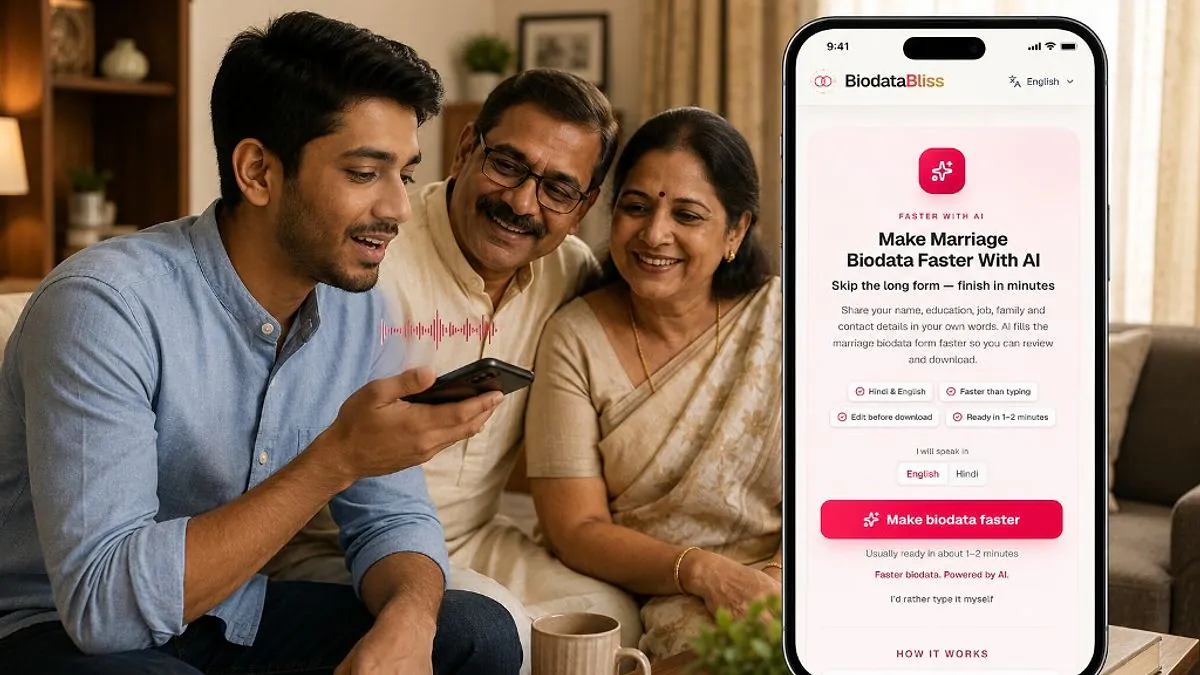
Arranged marriage conversations still start with one document — but you no longer need a weekend to write it. In 2026, the fastest marriage biodatas are built by speaking naturally and letting AI organize your details into a polished PDF.
Creating a marriage biodata used to mean copying an old Word file, asking relatives for the right format, and typing the same details again and again. That process is slow, especially when parents want a clean PDF tonight for WhatsApp. BiodataBliss now offers an AI path: speak your details in Hindi, English, or Hinglish, review what the AI captured, pick a template, and download — often in one to two minutes instead of one to two hours.
Why Traditional Biodata Creation Feels Slow
Most people do not struggle because they lack information. They struggle because marriage biodata creation is scattered — education on one phone note, family details in a WhatsApp message, horoscope in a PDF from an uncle, and photo rules nobody agrees on.
When you start from a blank page, every section becomes a decision: how formal to sound, how much salary to mention, whether to include gotra now or later, and which template looks respectable on both phone and print.
- Blank templates force you to remember field names instead of telling your story.
- Typing long family sections on mobile is tiring and error-prone.
- Multiple drafts circulate in family groups with conflicting versions.
- Formatting steals time that should go into accuracy and tone.
The real delay is not writing — it is switching between memory, formatting, and family approval loops.
Imagine This Instead…
You open BiodataBliss, tap Make biodata faster, and speak as if you are explaining your biodata to a relative: your name, education, job, city, family, and contact. The AI listens, extracts structured fields, and shows you a draft you can edit before choosing a template.
No wrestling with section headings. No retyping the same paragraph because you forgot your mother's full name spelling. Just a calm review screen, a live preview, and a PDF your family can forward tonight.
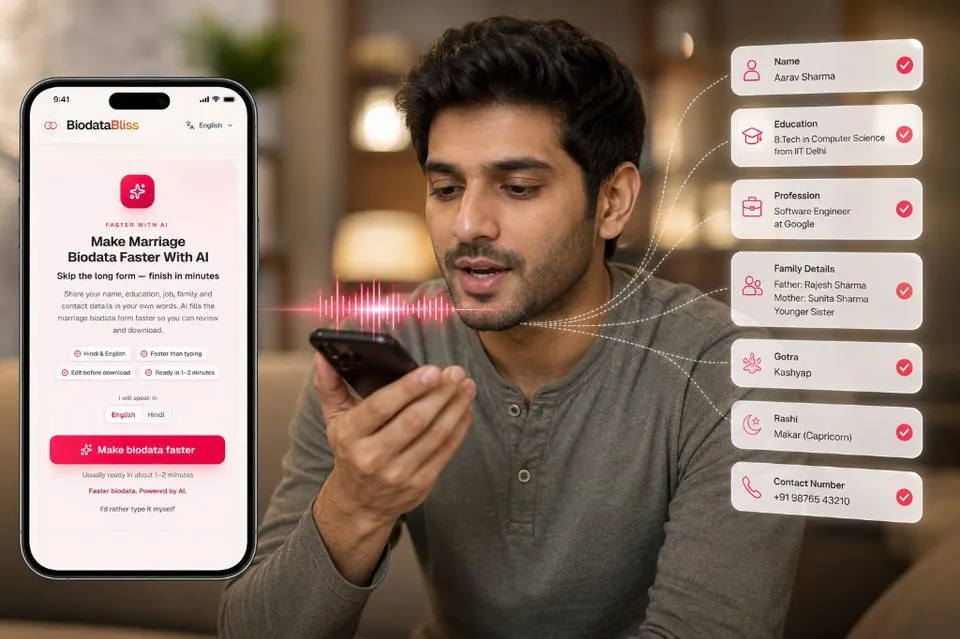
How to Create a Marriage Biodata with AI
The AI flow on BiodataBliss is designed for real Indian marriage conversations — bilingual families, mixed Hindi-English speech, and the need to edit before sharing. Follow these five steps.
Step 1: Open the AI biodata creator
Visit BiodataBliss and open the AI creation page. You will see a simple choice: speak in English or Hindi before you begin.
Go to Create Biodata with AI (opens in a new tab) on your phone or laptop. Allow microphone access when prompted — voice input works best in a quiet room with your details nearby.
Step 2: Speak your details naturally
Tap the microphone and talk the way you normally explain your biodata to family. You do not need a script. Mention name, age or date of birth, education, profession, city, family members, and contact number in any order.
The AI maps your speech to biodata fields as you go. If you pause, that is fine — you can always edit text fields afterward.
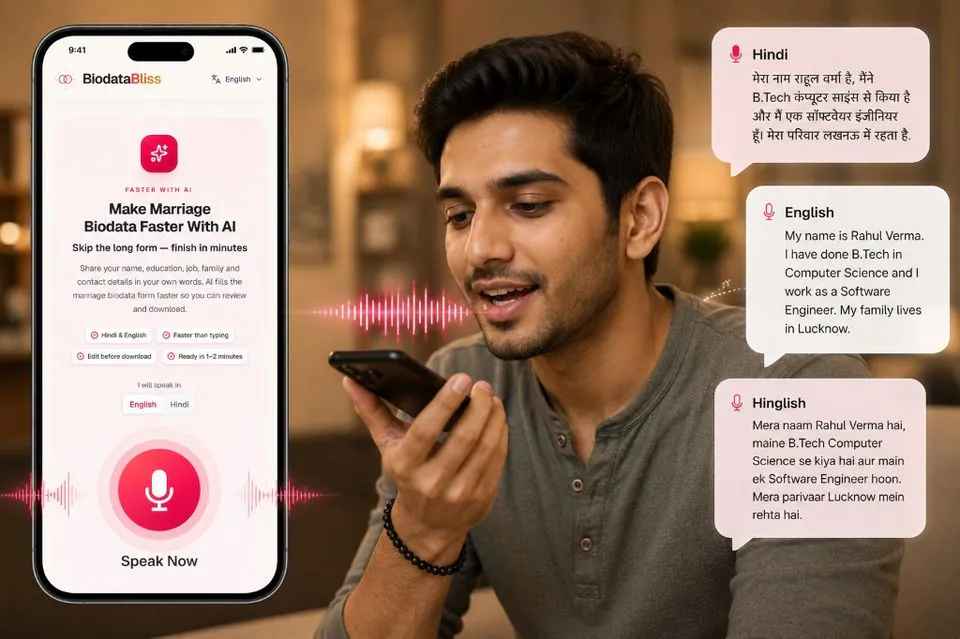
Step 3: Choose your language (Hindi, English, or Hinglish)
Many candidates mix languages in one sentence — for example, education in English and family lines in Hindi. BiodataBliss AI is built for that everyday speech pattern.
Switch the language toggle before speaking, or continue in Hinglish if that is how you naturally describe yourself. Review each extracted field on screen and fix anything that needs a more formal tone for elders.
Step 4: Review and edit every field
AI gives you a fast first draft, not a final legal document. Read name spellings, dates, job titles, and parent names carefully — these are what families scan first.
Upload a clear photo, adjust partner preference wording if needed, and browse marriage biodata templates to pick a layout that fits your community and sharing style.
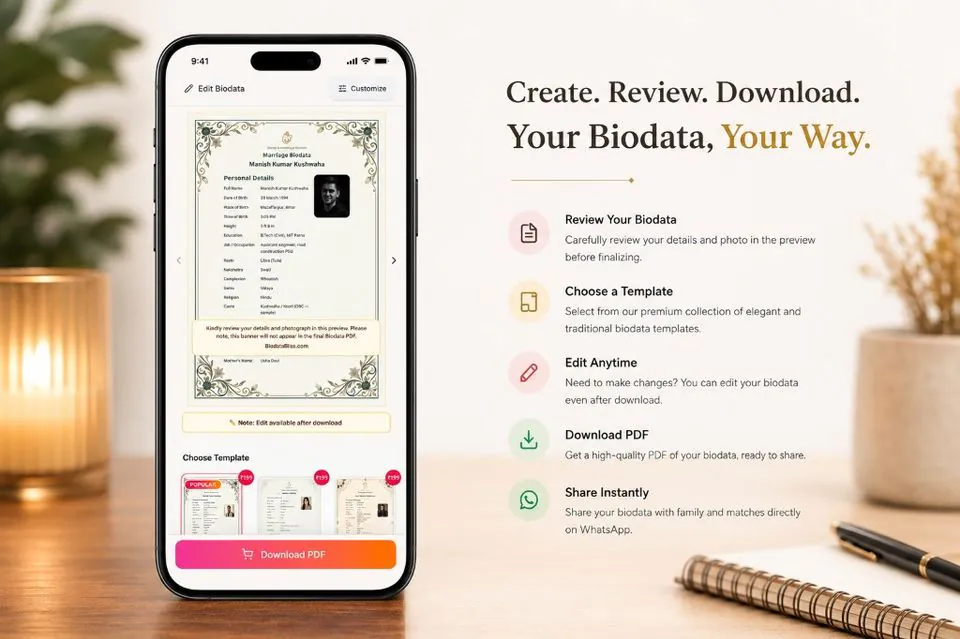
Step 5: Preview, customize, and download PDF
Use the preview carousel to see your real details inside each template. Compare traditional borders, clean modern layouts, and premium designs before you pay.
When your family approves the preview, download the PDF and share it on WhatsApp. You can return later to edit details even after download.
Why AI Makes Biodata Creation Better
Speed matters in busy introduction seasons, but trust matters more. AI helps with speed; you keep control over accuracy and tone.
- Faster first draft — speak instead of typing long family paragraphs on mobile.
- Lower mental load — the app remembers field structure so you focus on facts.
- Bilingual comfort — Hindi, English, and Hinglish in one flow.
- Edit before share — nothing goes to PDF until you review the preview.
- Template flexibility — same details, multiple visual styles for different families.
Who Should Use This
The AI path is especially helpful if you want a respectable biodata quickly without learning document formatting.
- Candidates who prefer speaking over typing on mobile.
- Parents helping sons or daughters prepare a first draft tonight.
- Working professionals with limited time during introduction season.
- NRIs explaining education and location in mixed Hindi-English sentences.
Final Thoughts
A marriage biodata is still a trust document — AI does not replace honesty, family alignment, or careful review. It removes the busywork of blank forms so you can get to the important part faster: a clear, respectful introduction your family feels confident sharing.
When you are ready, start with Create Biodata with AI or use the classic step-by-step form if you prefer typing field by field. Either way, preview before you download.
Ready to create your marriage biodata in minutes? Skip lengthy forms — speak in Hindi, English, or Hinglish and let AI build your draft.
Create Biodata with AIhttps://biodatabliss.com/te/create-biodata-with-ai (opens in a new tab)