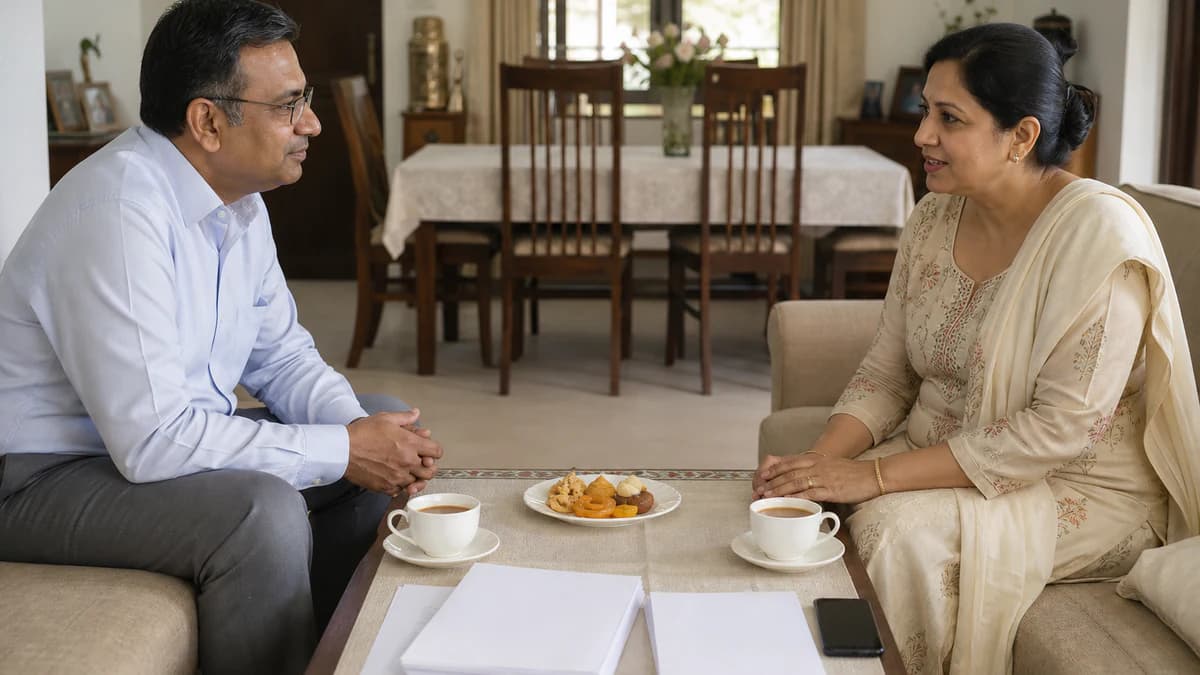
In arranged marriage, your biodata is not a dating profile — it is a family-to-family introduction. Write it so a parent can forward it with confidence, an aunt can read it aloud, and a matchmaker can place it without editing your life story.
Searching for a biodata format for arranged marriage in India usually means relatives want a PDF, a matchmaker wants one clean page, or parents want something printable before the first family meeting. This guide focuses on process — who prepares the biodata, how it travels on WhatsApp, what elders scan in thirty seconds, when a digital PDF beats a printout, and how parent-led and candidate-led searches share the page. You will also learn how to build a free, print-ready biodata on BiodataBliss with Rose Clean, Teal Royale, Vintage Gold, and Royal Emerald — without a religion-specific deep dive or a boy-versus-girl field list.
Arranged marriage biodata is a family document, not a social feed
Across India, arranged marriage introductions still rely on a short document two households can share before a call or a visit. The biodata format for arranged marriage is built for that handoff — candidate to parents, parents to aunts, aunts to matchmakers, and matchmakers to another family, often in one evening on WhatsApp.
That circulation changes how you write. A matrimony portal profile stays inside an account. A biodata PDF can sit in five group chats by dinner. Every line should survive being read aloud by someone who does not know your jokes or office slang.
Think of the page as a respectful bridge between homes. Education, work, family, photo, and a reachable contact are the load-bearing walls. Long hobbies essays and harsh filters belong later — or not here.
- Primary readers: parents, elders, relatives, and matchmakers
- Primary channel: WhatsApp PDF forwards, sometimes email or print
- Primary goal: decide whether to take a conversation forward
- Secondary goal: give enough context for a calm first call
- Not the goal: replace face-to-face meetings or kundali discussion
The problem: process confusion slows good introductions
Many stalled matches start with a process problem, not a "wrong" person. Someone pastes a résumé into Word. Someone else sends a cropped portal screenshot. A third forwards three drafts — old photo, no contact, harsh preferences — and relatives stop opening files.
Parent-led and candidate-led searches create different friction. When parents lead, the candidate may under-share details needed on the phone. When the candidate leads, parents may feel the tone is too casual for elders. The biodata has to serve both voices on one page.
Regional habits add another layer. Some families expect a printed sheet; others never leave WhatsApp. Without a clear format, households spend days arguing about the document instead of the match.
- Multiple unfinished drafts circulating in the same family WhatsApp
- Portal screenshots that crop education or contact off the frame
- Tone mismatch between candidate voice and parent forwarding habits
- Print-ready vs phone-only layouts chosen without a plan
- Missing "who to call" line that forces elders to ask awkward questions
Fix the process first: one agreed draft, one PDF, one contact path, one photo everyone accepts.
The solution: one scannable PDF built for how families actually share
A strong biodata format for arranged marriage answers five process questions before anyone debates fonts: Who prepares it? Who owns the final version? How will it be shared? Who answers the first call? What must be obvious in thirty seconds?
Agree those answers at home, then build the page. On BiodataBliss you fill Basics, Family, Contact, and Photo once, preview on a phone-sized screen, and download a free PDF when parents and the candidate both approve.
Match layout to the share path. Rose Clean suits busy WhatsApp threads. Teal Royale and Royal Emerald feel formal for elders who print. Vintage Gold works when families want a ceremonial first impression without crowding the facts.
- Decide owner: one person finalises spellings and version control
- Decide contact: parent mobile, candidate mobile, or both with labels
- Decide share path: WhatsApp PDF, email, printed A4, or all three
- Decide tone: parent-forwardable language, not informal chat voice
- Decide extras: community or horoscope lines only if your circle expects them
Who prepares the biodata — and who should approve it
In many homes a parent drafts while the candidate supplies certificates, photo, and employer wording. Elsewhere the candidate builds the file and parents review phone numbers and family lines. Matchmakers may request a layout — one page, photo placement, contact at the bottom — but they should not invent facts.
Approval matters more than authorship. Before any forward, the candidate and at least one parent should read the PDF aloud. Catch wrong digits, unclear college names, and partner preferences that sound colder than your family intends.
If siblings help with design, treat them as helpers, not owners. One forward of an outdated cousin-edited file can undo a week of careful introductions.
- Candidate supplies facts, photo, education, and work wording
- Parents confirm family lines, contact, and community-sensitive fields
- Matchmakers may request layout norms — not invented biography
- One final PDF replaces every earlier draft in the family chat
- Store the editable source so you can update after a job change
How arranged marriage biodatas travel: WhatsApp, relatives, matchmakers
WhatsApp is the default courier for the biodata format for arranged marriage. Relatives forward PDFs with a short note and wait. Matchmakers may place the same page with more than one family, so privacy and accuracy matter.
A first family meeting often starts before anyone arrives. Elders open the PDF, compare photo to education, check family city, and decide whether travel is worth it. Blurry screenshots or missing call paths delay scheduling.
Print still matters in some introductions. Carry two clean A4 copies for elder-led sittings. Keep the same PDF on the phone for post-meeting forwards.
- Prefer a real PDF attachment over compressed photo screenshots
- Write a one-line forward note parents can copy — calm, not salesy
- Assume wider circulation than the first recipient
- Keep Aadhaar, passport numbers, and full street address offline
- Bring printed copies when elders host a formal biodata exchange
What families scan in the first 30 seconds
Elders rarely read every sentence on the first open. They scan for signals that the page is serious: face, name, age or date of birth, height, education, work city, family context, and a phone number.
If those signals conflict — festival group photo, unclear job line, missing contact — carefully written values paragraphs may never get seen.
Partner preferences, if included, should not shout louder than your own profile. Harsh filter language often gets screenshotted for the wrong reasons.
- Second 1–5: photo readability and modest presentation
- Second 6–15: name, age/DOB, education headline
- Second 16–25: occupation, city, family location
- Second 26–30: contact path and overall tone
- After 30 seconds: deeper family lines and preferences, if they stay
Test on a phone at the zoom level your parents use. If they squint, switch to a cleaner template before you share.
Digital PDF vs print — choose by the next meeting, not by fashion
Digital PDFs win when speed and forwarding matter. Print wins when elders expect a sheet on the tea table or a matchmaker prefers paper.
Design for both from day one. A BiodataBliss PDF that looks clean on WhatsApp usually prints cleanly on A4 if fonts stay large enough.
Never share a watermarked preview screenshot as the final document. Download the proper PDF, then print from that file.
- WhatsApp-first families: one-page PDF, large section titles, Rose Clean or similar
- Elder print meetings: slightly more formal frames — Teal Royale, Royal Emerald, Vintage Gold
- Carry phone PDF + two printouts when unsure
- Use the same spelling across print and digital — mixed drafts confuse matchmakers
- Replace old printed stacks the day you update education or job
Parent-led vs candidate-led searches — same page, different voices
When parents lead, the biodata becomes their talking script. They need a contact they answer and family lines they recognise. Candidates must still verify every personal fact.
When candidates lead, the page still has to sound family-safe. Avoid slang and informal dating-app language. Arranged marriage forwards often pass through elders even when the first yes comes from the candidate.
Hybrid is often calmest: candidate drafts on BiodataBliss, parents pick template and contact line, then both approve.
- Parent-led: emphasise family clarity and a parent contact number
- Candidate-led: keep professional facts sharp; still ask parents to review tone
- Hybrid: candidate owns facts; parents own forwarding and introductions
- Never send a draft parents have not seen if they will field the first call
- Update both parents and candidate when you change the final PDF
Regional variation at a high level — without religion deep dives
India is not one biodata culture. Practices differ by region and community — some emphasise family city early, some treat horoscope as a parallel track, some balance WhatsApp speed with printed sittings.
This article stays at process level on purpose. Include community-sensitive fields only when elders or a matchmaker say they are expected for a first share.
The durable format remains: honest basics, readable education and work, identifiable family, clear contact, optional preferences — on a page relatives can forward without editing.
- Ask elders what successful local biodatas already include
- Do not invent horoscope or community details to "look complete"
- Keep optional blocks collapsed until you truly need them
- Match language to the reader — avoid English jargon for elder forwards when Hindi or another language helps
- When families mix regions, write clearer labels than insider abbreviations
Benefits of a clear arranged-marriage biodata process
A process-ready biodata saves time. Relatives stop chasing missing numbers. Matchmakers stop reformatting your story. Candidates stop rewriting every weekend because nobody agreed on version one.
Clarity also protects dignity. Conversations focus on compatibility instead of "why is the photo cropped." On BiodataBliss, guided form plus template preview supports that calm outcome: free creation and a PDF ready for WhatsApp or print.
- Faster yes/no decisions after the first glance
- Fewer awkward follow-ups about missing basics
- Stronger first meetings with shared expectations
- Easier updates when job, city, or photo changes
- Consistent story across parents, relatives, and matchmakers
Step-by-step: build your arranged marriage biodata on BiodataBliss
You do not need Word skills or a designer. Follow these steps to produce a free, share-ready PDF that fits the arranged marriage process.
- 1. Visit https://biodatabliss.com and open Create Biodata
- 2. Choose a starting template later in preview — first gather facts with parents
- 3. Enter Basics: full name, date of birth, height, education, occupation, city
- 4. Enter Family: parents' names and occupations, siblings, hometown
- 5. Enter Contact: the number elders will actually answer; label parent vs self
- 6. Upload a recent solo portrait — modest dress, plain background, clear face
- 7. Add partner preferences only if your family wants them on page one — keep them polite
- 8. Preview and compare Rose Clean, Teal Royale, Vintage Gold, and Royal Emerald with your real text
- 9. Check the PDF on a phone at parental zoom; fix typos before anyone forwards
- 10. Download the free PDF when parents and candidate both approve, then share one version only
Switching templates on BiodataBliss keeps your answers intact — use that to test WhatsApp clarity versus formal print look.
Templates that support the arranged marriage first glance
Template choice is part of process design. A crowded border that hides education on a phone hurts WhatsApp forwards. A too-casual page can underwhelm at a printed elder sitting.
Rose Clean keeps section titles readable for multi-forward groups. Teal Royale adds composed colour for urban families. Vintage Gold signals ceremonial seriousness. Royal Emerald suits a rich formal frame without losing structure.
Fill content once on https://biodatabliss.com, then swap these four until parent and candidate agree.
- Rose Clean — WhatsApp-first clarity, minimal visual noise
- Teal Royale — balanced colour for urban family forwards
- Vintage Gold — ceremonial tone for print-heavy introductions
- Royal Emerald — formal green frame for elder-led meetings
- Rule: if an elder cannot read education without pinch-zoom, switch templates
Common mistakes in arranged marriage biodata sharing
Most process mistakes are fixable in one evening — if someone catches them before the first widely forwarded share.
- Sending three conflicting drafts in the same relative group
- Using a portal screenshot instead of a clean one-page PDF
- Leaving contact blank because "everyone already has our number"
- Letting a cousin edit the file without re-checking facts
- Harsh partner preference language parents must apologise for
- Old photos that surprise families at the first meeting
- Oversharing document IDs or full street address on a viral forward
- College nicknames or jargon elders cannot decode
- Forgetting to update after a job or city change
- Parent and candidate disagreeing in front of a matchmaker
Practical tips for a calm first family meeting
Treat the biodata as the pre-meeting briefing. When both families have the same accurate page, talk time goes to values and timing — not reconstructing your job title.
Carry the PDF on your phone even if print copies are on the table. Someone will ask to forward it after tea.
If the meeting is parent-heavy, let parents own introductions while the biodata quietly supports them.
- Agree the forward note before the first send
- Print two copies when elders host at home
- Keep preferences soft unless both sides expect firm filters early
- Verify photo against how you will dress for the meeting
- Follow up the same day if both sides ask for a digital copy
Comparison: arranged-marriage biodata vs matrimony portal profile
Families often run both channels. Use each for what it does well. The biodata is the trusted handoff between homes; the portal profile is a searchable listing inside a platform.
- Arranged biodata: shared as PDF/print with relatives and matchmakers
- Portal profile: lives inside an app or website account
- Arranged biodata: parent-forwardable language and family contact common
- Portal profile: often candidate-managed chat-first discovery
- Arranged biodata: judged in 30-second family scans on WhatsApp
- Portal profile: judged through filters, interest buttons, and in-app browse
- Arranged biodata: one agreed version for introductions and meetings
- Portal profile: can change daily without relatives noticing
- Privacy: biodata forwards need tighter field discipline; portals have account controls but screenshots still happen
- Best practice: keep education, work, and photo consistent across both
FAQs: biodata format for arranged marriage
These are the process questions Indian families ask most often when preparing a biodata for arranged marriage introductions.
- Q: Who should prepare the biodata in an arranged marriage? A: Often a parent drafts while the candidate supplies facts and photo — but both should approve one final PDF before any WhatsApp forward.
- Q: Is a WhatsApp PDF enough, or do we need a printed biodata? A: Most first shares are digital; carry printed A4 copies when elders host a formal sitting or a matchmaker prefers paper.
- Q: What do families check in the first 30 seconds? A: Photo, name, age, education, work city, family context, and a reachable contact — in roughly that order of urgency.
- Q: Should the candidate or a parent be the contact number? A: Use whichever number your household will actually answer. Label it clearly (father / mother / self).
- Q: How is a biodata different from a matrimony portal profile? A: A biodata is a shareable family introduction document; a portal profile is an in-app listing. Keep facts consistent across both.
- Q: Do we need religion-specific fields on every arranged marriage biodata? A: Only when your elders or matchmaker expect them for a first share. Otherwise keep optional community or horoscope lines offline.
- Q: Which BiodataBliss templates work well for arranged marriage forwards? A: Rose Clean for WhatsApp clarity; Teal Royale, Vintage Gold, and Royal Emerald when families want a more formal or ceremonial frame.
- Q: Can we create a free biodata format for arranged marriage online? A: Yes. On BiodataBliss you can fill, preview, and download a free marriage biodata PDF without design skills.
- Q: How many pages should an arranged marriage biodata be? A: One clear page is best for WhatsApp and first meetings. Add a second page only if elders insist on extra verified lines.
- Q: When should we update the biodata? A: After job, city, education, photo, or contact changes — then replace every old forward with the new PDF.
Checklist before relatives forward your arranged marriage biodata
Run this list once with a parent and once with the candidate. If both sign off, you are ready to share a single free PDF from BiodataBliss.
- One final PDF — older drafts removed from the family chat
- Photo recent, solo, and meeting-realistic
- Name spellings match certificates parents recognise
- Education and employer lines readable without slang
- Family section names parents will speak aloud
- Contact number tested with a missed-call check
- Partner preferences polite or omitted by family choice
- Community or horoscope lines included only if expected
- Template readable on phone — Rose Clean / Teal Royale / Vintage Gold / Royal Emerald tested
- Print copies ready if tomorrow's meeting is elder-led
- Forward note drafted so relatives do not invent a pitch
- Portal profile facts match the biodata where both exist
Final tip
A reliable biodata format for arranged marriage in India is process-first: one agreed PDF, one honest story, one contact path, and a layout elders can read in thirty seconds. Build it with parents, preview free on BiodataBliss, choose Rose Clean or a formal frame like Teal Royale, Vintage Gold, or Royal Emerald, and forward only the approved version — before the first family meeting.
Start on Create Biodata, then compare designs on Templates before checkout.
Ready to prepare a family-forward biodata? Fill the guided form free on BiodataBliss, preview on mobile, and download the PDF relatives can share with confidence.
Create Biodatahttps://biodatabliss.com/create-biodata (opens in a new tab)